If you use a Black and Decker drill often, you know how important it is to change the drill bit quickly and safely. Whether you’re a DIY lover or just fixing something at home, removing a drill bit can sometimes be confusing—especially if you’re new to power tools. But don’t worry. This guide will show you exactly how to remove a drill bit from your Black and Decker drill, step by step. You’ll also learn how to spot and solve common problems, which tools you might need, and what safety tips you should always remember. By the end, you’ll feel confident handling your drill like a pro.
Article Summary
- Why Removing The Drill Bit Matters
- Understanding Your Black And Decker Drill Chuck
- Step-by-step Guide: Removing The Drill Bit
- What If The Drill Bit Is Stuck?
- Common Mistakes To Avoid
- Essential Tools You May Need
- Safety Tips For Removing Drill Bits
- How To Insert A New Bit (after Removal)
- When To Replace A Drill Bit
- Comparing Black And Decker Drill Bit Change With Other Brands
- Two Non-obvious Tips Most Beginners Miss
- Where To Find More Help
- Frequently Asked Questions
Why Removing The Drill Bit Matters
Changing the bit is not just about convenience—it’s about working safely and efficiently. A stuck or worn-out bit can damage both your drill and your project. If you don’t remove the bit the right way, you risk hurting yourself, breaking the bit, or damaging the drill’s chuck. Plus, switching bits lets you use the right tool for each job, making your work faster and smoother.
Understanding Your Black And Decker Drill Chuck
The chuck is the part of the drill that holds the bit. Black and Decker drills usually come with one of two types of chucks:
- Keyless chuck: You can turn this by hand to loosen or tighten the bit. Most modern Black and Decker cordless drills use this type.
- Keyed chuck: This requires a special tool called a chuck key to open or close.
Knowing which chuck you have is important, as the removal steps are a bit different.
| Chuck Type | How to Identify | Common Drill Models |
|---|---|---|
| Keyless | Twist by hand, no key needed | LDX120C, BDCDMT120C |
| Keyed | Small holes for a chuck key | Older corded models |

Credit: www.blackanddecker.com
Step-by-step Guide: Removing The Drill Bit
Let’s walk through the process for both chuck types. Always remember to unplug the drill or remove the battery before starting. This keeps you safe from accidental starts.
For Keyless Chuck Drills
- Power Off and Remove Battery
- Always turn off your drill and remove the battery if it’s cordless. For corded drills, unplug from the wall.
- Grip the Chuck
- Hold the drill handle with one hand. With the other, grab the front part of the chuck (the part closest to the bit).
- Turn the Chuck Counterclockwise
- Twist the chuck to the left (counterclockwise). You’ll feel it loosen. If it’s tight, use both hands for better grip.
- Remove the Drill Bit
- Once the jaws open, pull the bit out straight. Set it aside safely.
- Check for Dust or Debris
- Before inserting a new bit, look inside the chuck. Clean out any dust or metal shavings.
For Keyed Chuck Drills
- Power Off
- Unplug the drill to avoid accidents.
- Insert the Chuck Key
- Find the small holes around the chuck. Insert the chuck key into a hole.
- Turn the Chuck Key Counterclockwise
- Turn the key to the left. The jaws will open. Keep turning until the bit is loose.
- Remove the Bit
- Pull the bit out gently.
- Remove the Key and Store It
- Always store the chuck key in a safe place. Losing it can make future bit changes hard.
Example: Removing A Bit From A Black And Decker Ldx120c
Suppose you’re using a Black and Decker LDX120C cordless drill. This model uses a keyless chuck. After turning off and removing the battery, grip and twist the chuck’s front ring counterclockwise. The bit will loosen and slide out easily.
What If The Drill Bit Is Stuck?
Sometimes, the bit won’t come out, even after loosening the chuck. Here’s what to do:
- Apply Penetrating Oil
- Spray a little oil into the chuck and let it sit for 10 minutes. This helps loosen rust or debris.
- Use Pliers for Extra Grip
- Hold the chuck with one hand, and gently pull the bit out with pliers. Be careful not to damage the bit or the chuck.
- Tap the Chuck Gently
- Use a rubber mallet to tap the chuck (not the bit). This can break loose stubborn bits.
- Check for Bent Bits
- If the bit is bent, it may be wedged. Do not force it—this can damage the drill. Seek professional help if needed.
When To Call For Help
If you can’t remove the bit after trying these steps, take your drill to a tool repair shop. Forcing it too much can break the internal parts.
Common Mistakes To Avoid
- Forgetting to Disconnect Power
- Never try to change a bit with the drill plugged in or the battery attached.
- Using the Wrong Tools
- Don’t use pliers or wrenches on a keyless chuck unless absolutely necessary. This can strip the chuck’s grip.
- Over-Tightening the Chuck
- When inserting a new bit, don’t tighten too much. This can make removal harder next time.
- Losing the Chuck Key
- For keyed chucks, always keep the key in a safe place.
- Ignoring Debris
- Metal shavings in the chuck can make bits stick. Clean the chuck regularly.
Essential Tools You May Need
Most of the time, you only need your hands. However, sometimes other tools help:
- Chuck key (for keyed chucks)
- Pliers (for stuck bits)
- Penetrating oil (for rusted or jammed chucks)
- Soft brush or compressed air (for cleaning debris)
| Problem | Recommended Tool | When to Use |
|---|---|---|
| Bit stuck from rust | Penetrating oil | Bit won’t move after loosening chuck |
| Bit stuck from debris | Soft brush, compressed air | Visible dust or metal inside chuck |
| Bent bit | Pliers | Bit wobbles but won’t come out by hand |
Safety Tips For Removing Drill Bits
Staying safe is always the most important thing. Here are key safety tips:
- Disconnect the Power
- Never work on a drill that’s plugged in or has a battery attached.
- Wear Safety Glasses
- Small metal pieces or dust can fly out when removing bits.
- Keep Hands Away from the Trigger
- Even a slight press can start the drill unexpectedly.
- Work on a Clean Surface
- Avoid working over carpet or soft surfaces where dropped bits can get lost.
- Inspect Bits for Damage
- Check your bits before and after removal. Discard any that are bent or chipped.
- Store Bits Properly
- Place removed bits in a drill bit case to keep them sharp and safe.
How To Insert A New Bit (after Removal)
After you’ve taken out the old bit, inserting a new one is easy but important:
- Clean the Chuck
- Blow out any dust or debris.
- Insert the Bit
- Push the new bit straight into the chuck.
- Tighten the Chuck
- For keyless chucks, twist clockwise by hand. For keyed chucks, use the key.
- Check for Wobble
- Turn the drill on briefly to check if the bit spins straight.
- Test Before Use
- Try drilling into a scrap piece of wood to make sure the bit is secure.
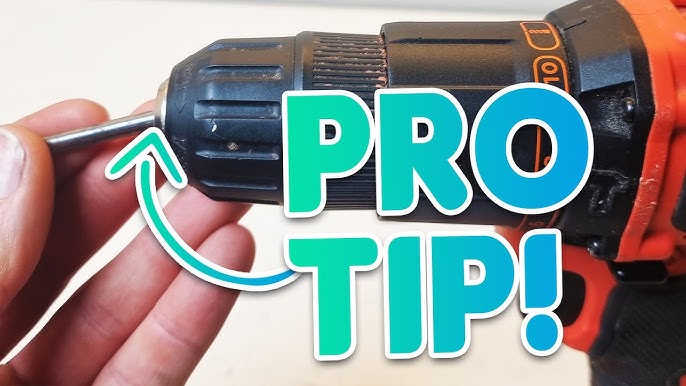
Credit: www.youtube.com
When To Replace A Drill Bit
Sometimes, you should not just remove and reinsert the same bit. Replace your drill bit if:
- The tip is dull or chipped
- The bit is bent
- It makes uneven holes
- It wobbles in the chuck
A sharp, straight bit is safer and gives better results.
Comparing Black And Decker Drill Bit Change With Other Brands
If you’ve used other brands, you might notice small differences. Here’s a quick look at how Black and Decker compares to other popular brands:
| Brand | Chuck Type | Ease of Bit Change |
|---|---|---|
| Black and Decker | Keyless / Keyed | Simple, tool-free for keyless |
| DeWalt | Keyless | Smooth, similar to Black and Decker |
| Bosch | Keyless / SDS | Some models have push-in auto-lock |
| Makita | Keyless / Keyed | Similar, but some chucks feel tighter |
Two Non-obvious Tips Most Beginners Miss
- Rotate the Chuck While Pulling the Bit
- Sometimes, gently rotating the chuck while pulling helps release a bit that feels stuck but is not damaged.
- Lubricate the Chuck Regularly
- Using a small drop of light machine oil on the chuck every few months can prevent rust and sticking, making bit changes smoother in the long run.
Where To Find More Help
If you need visuals or want to see specific steps for your model, the Black and Decker official website has manuals and guides for each drill. For in-depth repair, consider visiting a local hardware store or checking out trusted DIY resources like Family Handyman.

Credit: www.blackanddecker.com
Frequently Asked Questions
How Often Should I Change My Drill Bit?
Change your drill bit whenever it becomes dull, bent, or damaged. For heavy users, check the bit before each project. Using sharp bits ensures cleaner holes and less strain on your drill.
My Drill Bit Is Stuck And Won’t Move. What Can I Do?
Try spraying a little penetrating oil into the chuck and let it sit. Use pliers gently if needed. If the bit is still stuck after these steps, seek professional help to avoid damaging the drill.
Do All Black And Decker Drills Have Keyless Chucks?
No. While most modern Black and Decker models use keyless chucks, some older or heavy-duty models may still have keyed chucks. Always check your specific drill before trying to remove the bit.
Is It Safe To Use Pliers To Remove A Bit?
Yes, but only if the bit is truly stuck and you can’t remove it by hand. Be gentle—using too much force can damage the chuck or bit. Never use pliers on a moving drill.
Can I Use Any Drill Bit With My Black And Decker Drill?
Most standard round or hex-shank bits fit Black and Decker drills. However, always check the bit size matches your chuck’s capacity. Do not force oversized bits into the chuck.
Removing a drill bit from your Black and Decker drill is a basic skill, but mastering it makes your DIY projects safer and more enjoyable. With these clear steps and tips, you’ll be ready to handle any bit change with confidence.